

Synthreo Documentation
Official documentation for Synthreo - the AI agent platform for IT service providers and MSPs. Guides, API reference and tutorials for ThreoAI, Pylon, Canopy.
This is the central documentation for Synthreo’s platform. Use the sidebar to jump to ThreoAI (conversational AI and Experts), Pylon (agents and workflows), or Canopy (users and customers). Below is a short overview of the three products and where to get started.
Synthreo also documents Wingtip, the free AI Fluency guide, and the Synthreo Certified program.
1. ThreoAI: Intelligent Conversation Platform
Section titled “1. ThreoAI: Intelligent Conversation Platform”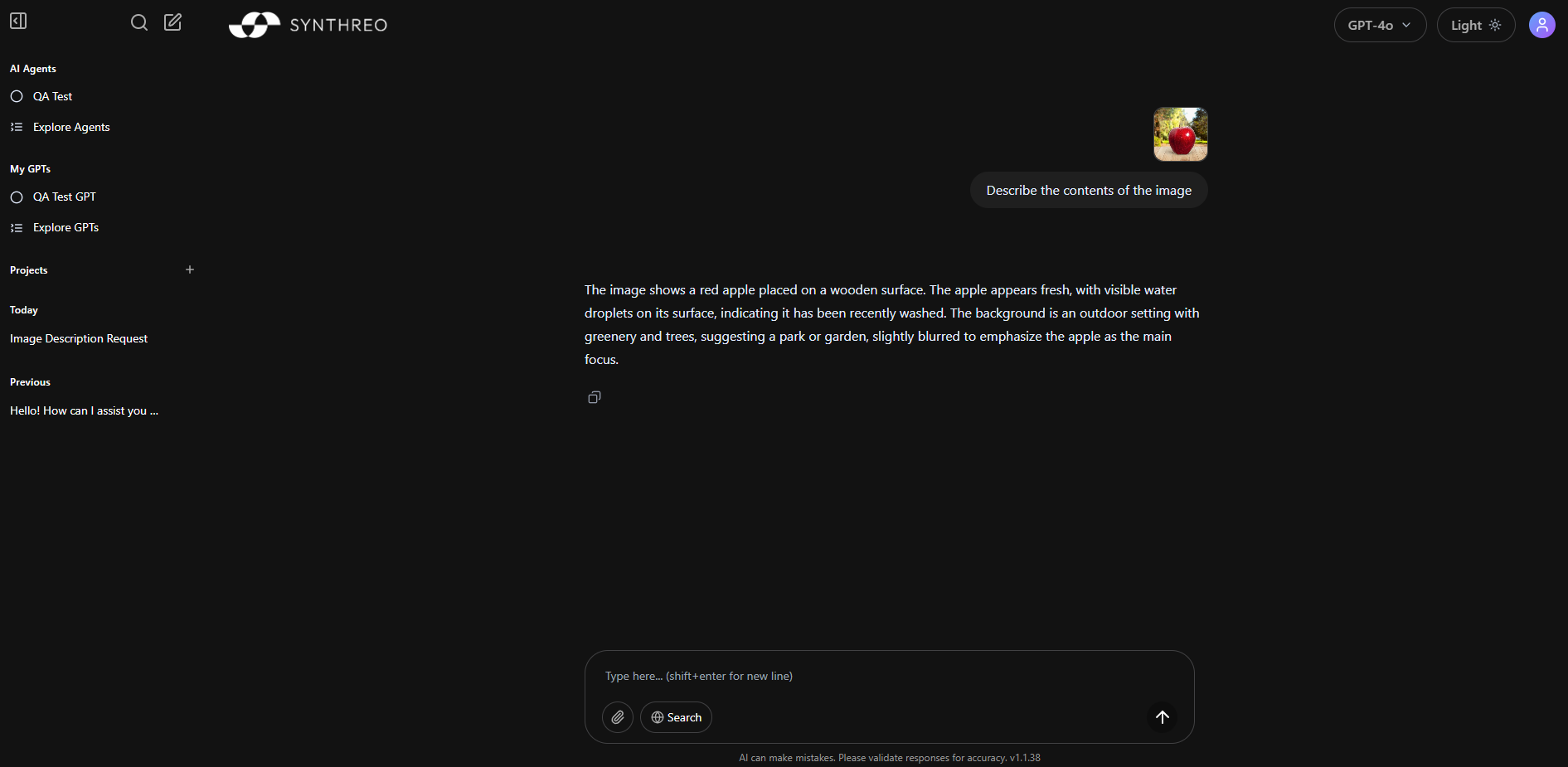
ThreoAI is the conversational AI platform for your organization, providing powerful chat capabilities and custom AI experiences built on large language models.
Key Features
Section titled “Key Features”- Conversational AI: Advanced chat functionality powered by large language models
- Experts: Build and share purpose-built assistants with fixed instructions for your needs
- File Processing: Handle various document types (PDF, DOCX, etc.)
- Image Analysis: Process and understand image content
- Flexible Deployment: Use as standalone or integrate with other tools
2. Pylon: Agents and Workflow Automation
Section titled “2. Pylon: Agents and Workflow Automation”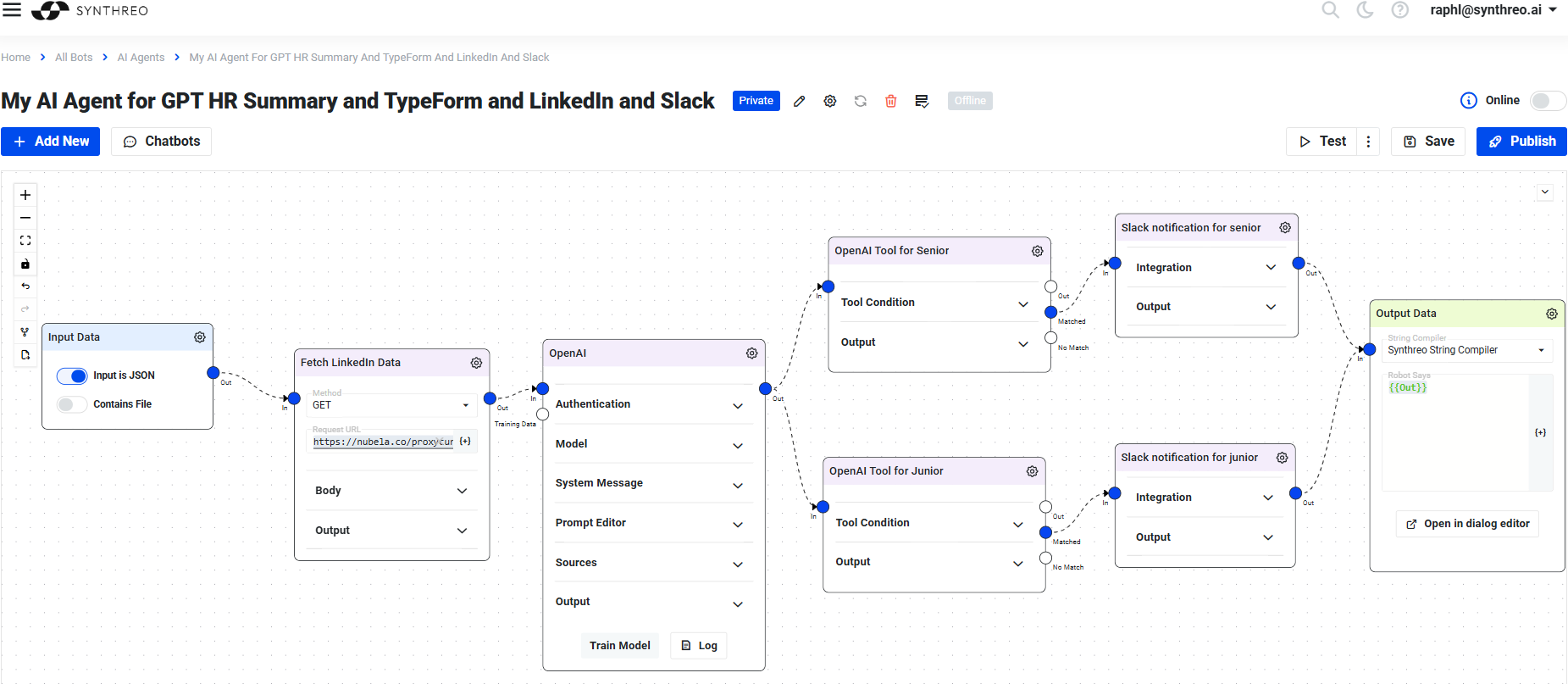
Pylon is where you build agents and workflows: describe the outcome you want, and assemble the steps, tools and guardrails that deliver it. It is the platform Synthreo builds on today.
Key Features
Section titled “Key Features”- Agents: Autonomous agents that pursue a goal, call tools, and stop for review where it matters
- DAGs: Repeatable node-based pipelines, with AI used at the points where it earns its place
- Guardrails: Constraints on what an agent may do, so an unattended run stays inside them
- Data: Structured storage and querying alongside the agents that use it
- Integrations: Connect the systems the work actually lives in
3. Canopy: Multi-Environment Control
Section titled “3. Canopy: Multi-Environment Control”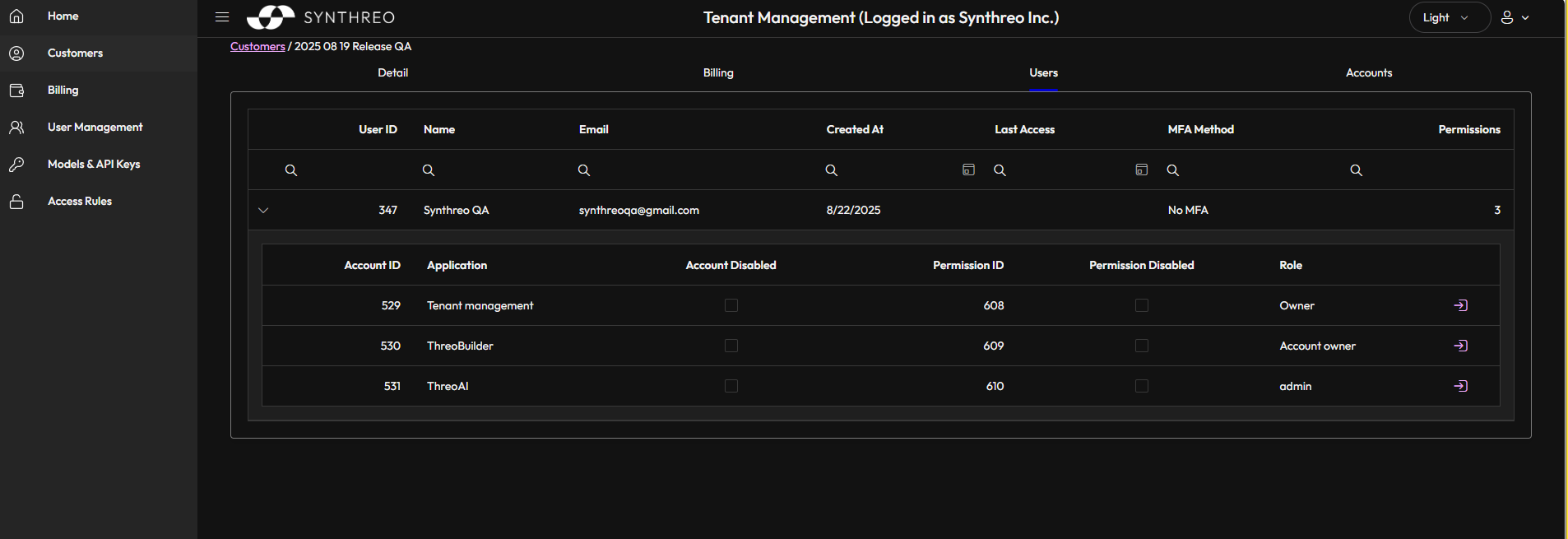
Canopy provides centralized control over your Synthreo ecosystem, enabling efficient management of users, customers, and permissions across multiple environments.
Key Features
Section titled “Key Features”- Customer Management: Create and manage customer accounts
- User Administration: Control access and permissions
- Multi-Tenant Architecture: Separate environments for different customers
- Role-Based Access: Granular control over user capabilities
- AI Model Configuration: Configure LLM vendors, deployments, and system prompts
Available Roles
Section titled “Available Roles”- Canopy Roles: Owner, Tenant Admin, and Tenant Admin (no impersonation)
- Pylon Roles: Account Holder, Pylon Admin, Builder, and End User
- Threo Roles: Customer Admin and Member
- Hub Roles: Account Holder, Member, and persona roles
See Roles and permissions for what each role can do.
Platform Integration
Section titled “Platform Integration”All three products work together to provide a complete solution:
- Pylon builds the AI agents and workflows
- ThreoAI provides the conversational interface and custom AI experiences
- Canopy ensures secure and organized access to all features
Getting Started
Section titled “Getting Started”Initial Setup
Section titled “Initial Setup”- Create your first customer account
- Add users to your organization
- Learn about user roles and permissions
Pylon Essentials
Section titled “Pylon Essentials”- Pylon Overview
- Build your first agent
- Configure an agent
- Schedule an agent
- Work with DAGs
- Understand the platform structure
- Learn about agent templates
AI Features
Section titled “AI Features”- Create an Expert
- Run a Wingtip session
- Experiment with NLP
- Performance testing
- Start with the free AI Fluency guide
MSP Onboarding
Section titled “MSP Onboarding”Onboarding a partner or handling common support tickets? The MSP Onboarding section walks through delegation, user management, and the most frequent ticket resolutions.
Support and Resources
Section titled “Support and Resources”Need help? Our comprehensive documentation covers everything from basic setup to advanced configurations.
- Report a bug - the in-app report form in ThreoAI, Pylon, and Canopy
- Contact Support