

AI Configuration in Canopy
AI Configuration in Canopy holds the platform-wide, root-only settings: system flags, the global MCP and skill catalogs, and type management for every tenant.
Overview
Section titled “Overview”AI Configuration holds the global, cross-organization settings for the platform. It opens at /ai-configuration and sits a level above the per-organization controls in Platform Admin: what you set here shapes what every organization can then configure for itself.
Because these settings reach across all organizations, AI Configuration is reserved for root administrators.
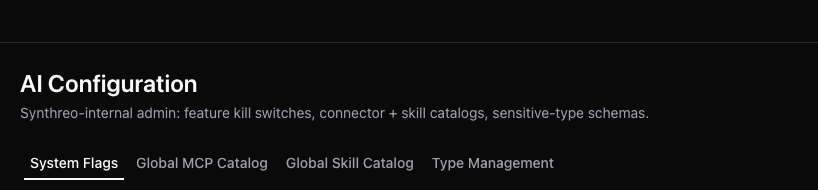
The tabs
Section titled “The tabs”| Tab | What you manage |
|---|---|
| System Flags | Platform-wide feature flags and toggles that turn capabilities on or off across the platform |
| Global MCP Catalog | The MCP servers available across all organizations, which seed the per-organization MCP Catalog in Platform Admin |
| Global Skill Catalog | The skills available across all organizations, which feed each organization’s Skill Catalog |
| Type Management | The types and taxonomy used across the platform |
System Flags is the closest current home of the older “platform tools” concept: it is where platform-wide capabilities are switched on and off.
How global vs per-organization catalogs relate
Section titled “How global vs per-organization catalogs relate”The global catalogs here are the source; the per-organization catalogs in Platform Admin draw from them.
A root administrator publishes an MCP server or a skill into the global catalog. From there, each organization’s administrators decide what to publish to their own users through the per-organization MCP Catalog and Skill Catalog in Platform Admin. The global catalogs set what is available across the platform; each organization’s Platform Admin decides what its own users actually get.
Frequently Asked Questions
Section titled “Frequently Asked Questions”Why don’t I see AI Configuration? It is visible to root administrators only. A standard administrator role does not see the screen, because it controls platform-wide settings that sit above any single organization.
What is the difference between the Global Skill Catalog and the Platform Admin Skill Catalog? The Global Skill Catalog defines the skills available across all organizations and is managed by root administrators. The Skill Catalog in Platform Admin is per-organization. Administrators publish to their own users from what the global catalog makes available.
Related
Section titled “Related”- Platform Admin - the per-organization models, MCP, and skill catalogs
- Sharing - decide who can use which agents, models, and resources
- Canopy Overview - the admin portal at a glance